library(ggplot2)
dat <- data.frame(cond = rep(c("A", "B"), each=10),
xvar = 1:20 + rnorm(20,sd=3),
yvar = 1:20 + rnorm(20,sd=3))
ggplot(dat, aes(x=xvar, y=yvar)) +
geom_point(shape=1) +
geom_smooth() 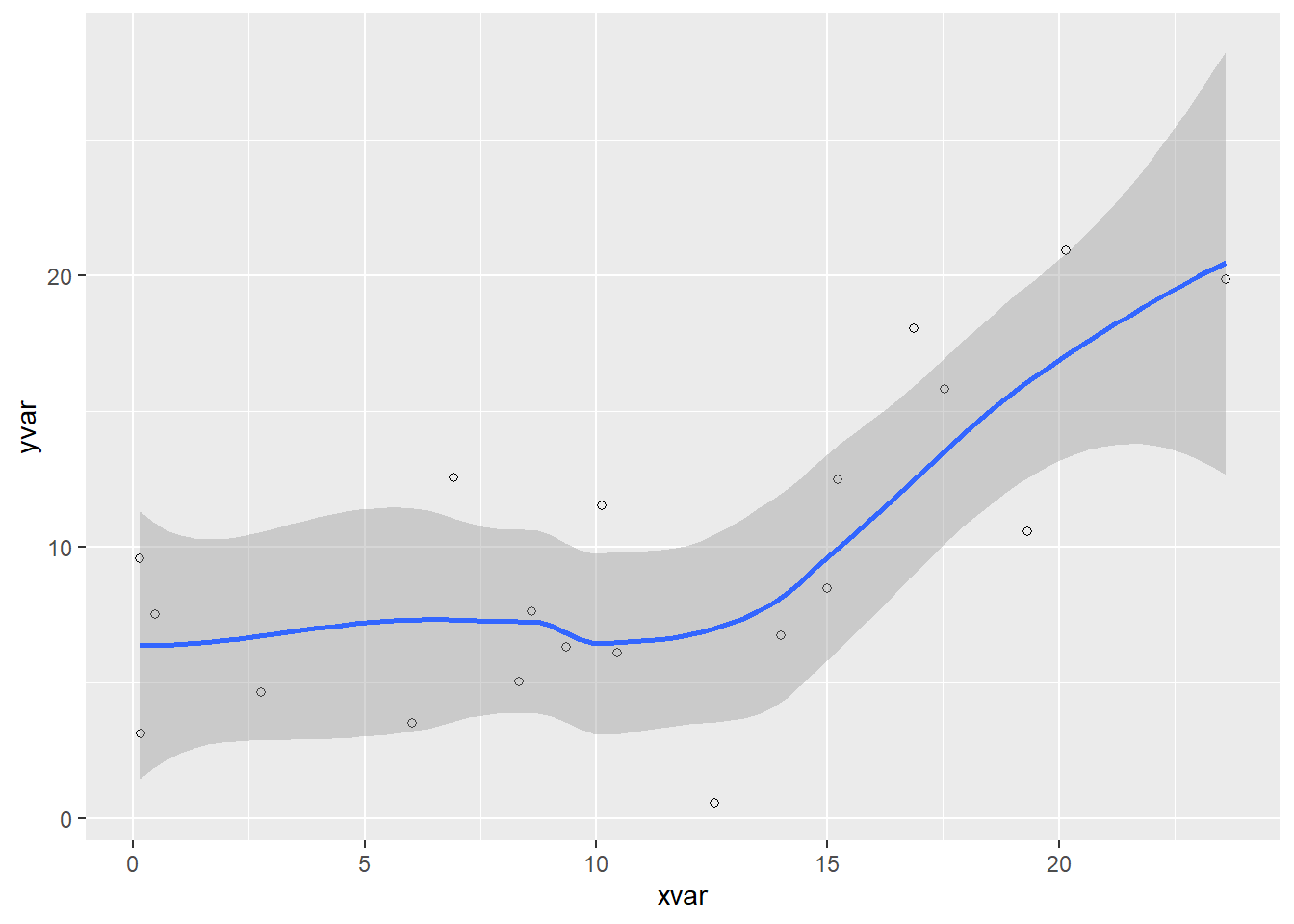
See the full guide on HTML Basics.
Quarto adds several features on top of standard pandoc markdown for the html format:
<details>Note that these features all work irrespective of whether a Bootstrap or other theme is applied.
Hover over a section title to see an anchor link. Enable/disable this behavior with:
anchor-sections: trueHover over Xie (2015) to see a reference to the definitive book on knitr1.
Control this behavior with the following options:
hover-citations: true
hover-footnotes: trueClick the Code button to see the code that produced this plot.
library(ggplot2)
dat <- data.frame(cond = rep(c("A", "B"), each=10),
                  xvar = 1:20 + rnorm(20,sd=3),
                  yvar = 1:20 + rnorm(20,sd=3))

ggplot(dat, aes(x=xvar, y=yvar)) +
    geom_point(shape=1) +
    geom_smooth()
Code folding can be set globally or on a per-chunk basis (chunks can be set to display folded or unfolded by default). For example:
code-fold: false # no folding (default)
code-fold: true  # fold code (initially hidden)
code-fold: show  # fold code (initially shown)
You can customize the summary text via:
code-summary: "Show the code"Use the fold and summary chunk attributes to control this on a chunk-by-chunk basis.
The code-link option enables hyper-linking of functions within code blocks to their online documentation:
code-link: trueCode linking is currently implemented only for the knitr engine (via the downlit package).
This page has commenting with Hypothes.is enabled via the following YAML option:
comments:
  hypothesis: true
You can see the Hypothesis UI at the far right of the page. Rather than true, you can specify any of the available Hypothesis embedding options as a sub-key of hypothesis. For example:
comments:
  hypothesis:
    theme: clean
You can enable Utterances commenting using the utterances option. Here you need to specify at least the Git repo you want to use for storing comments:
comments:
  utterances:
    repo: quarto-dev/quarto-docs
You can also specify the other options documented here.
knitr is an R package for creating dynamic documents.↩︎